Taba – Workout Timer

Press start.
Taba does the counting.

Pick a workout and focus on moving. Taba tells you when to work, when to rest, and how many rounds are left — with color, sound and a voice in your ear.

iPhone and Apple Watch · No sign-up · No ads

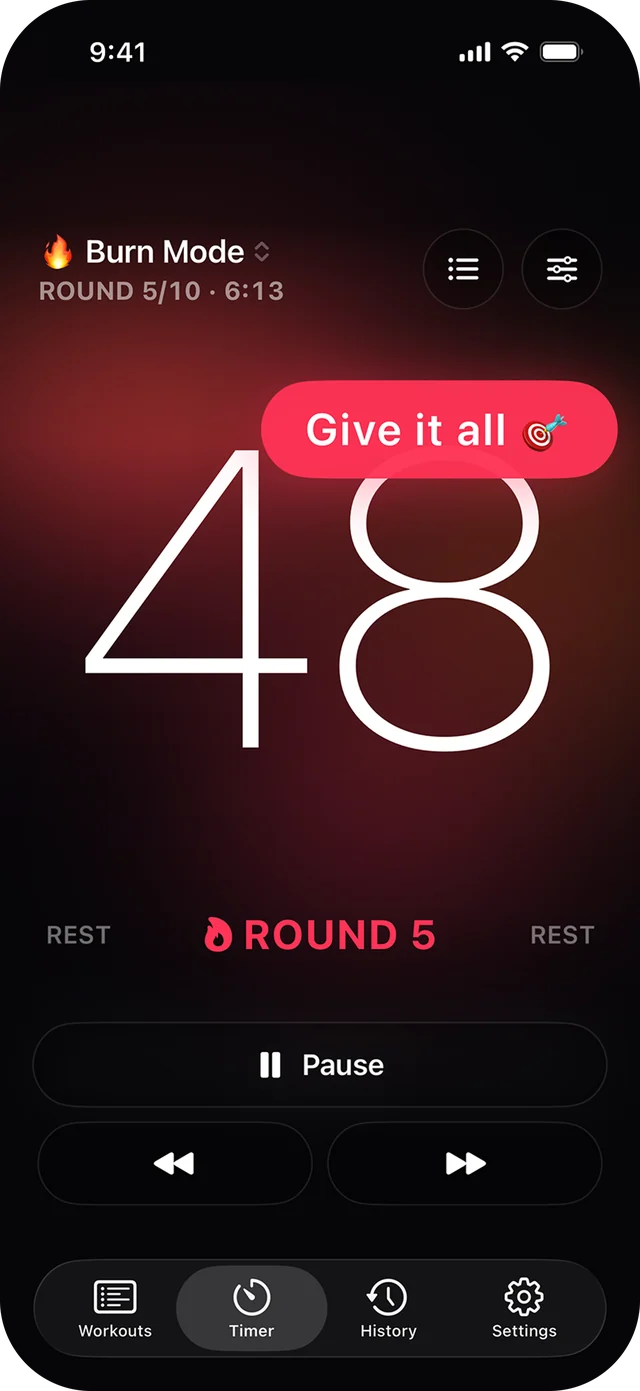
Taba Timer screen
TimerBig numbers, live phase colors
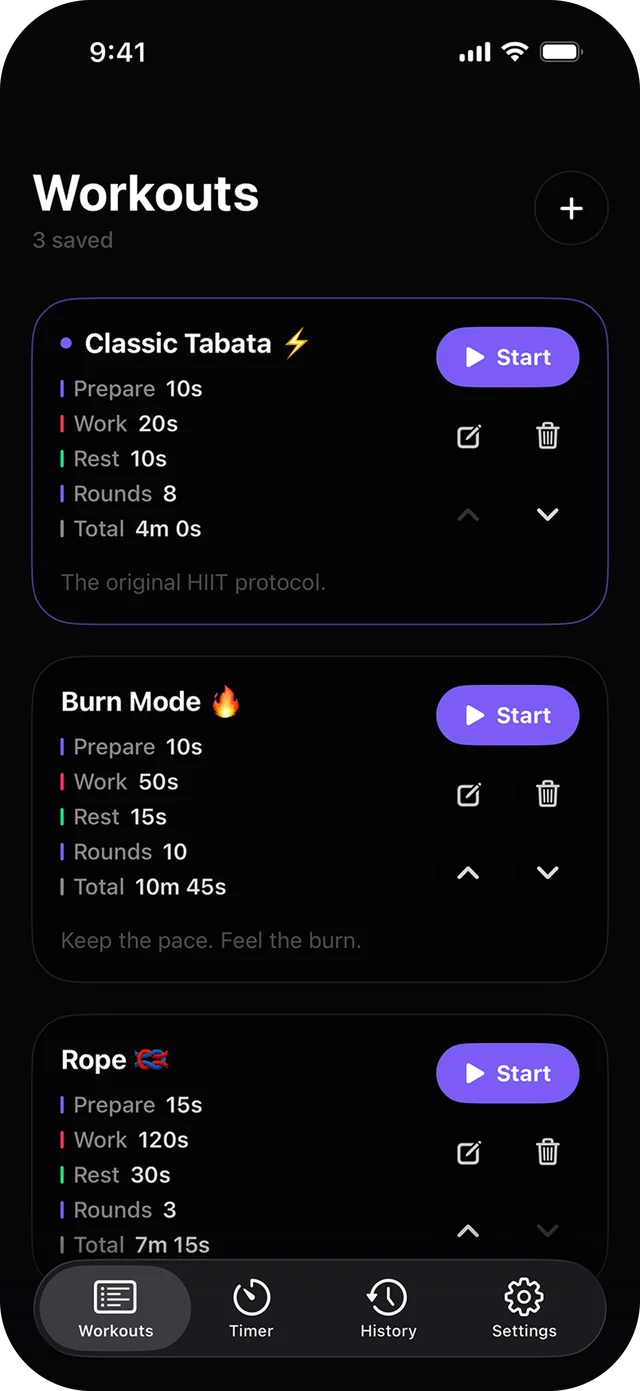
Taba Workouts screen
WorkoutsSaved, one tap to start
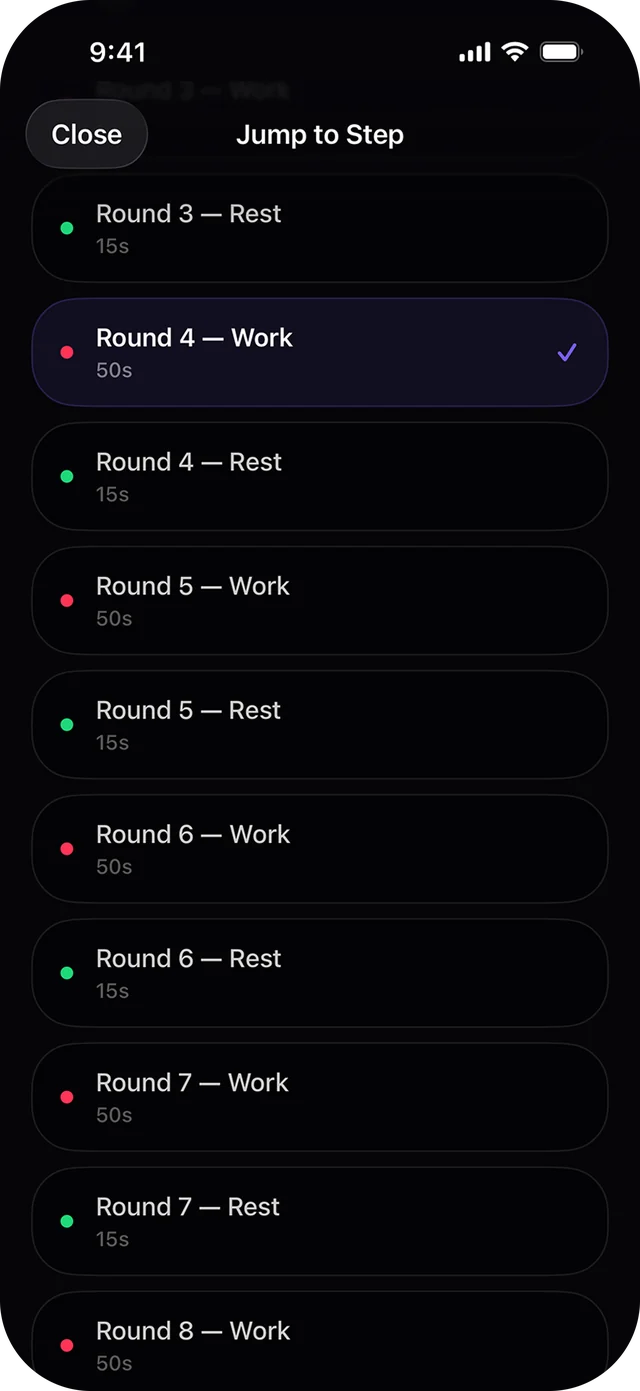
Taba Jump to step screen
Jump to stepSkip to any round
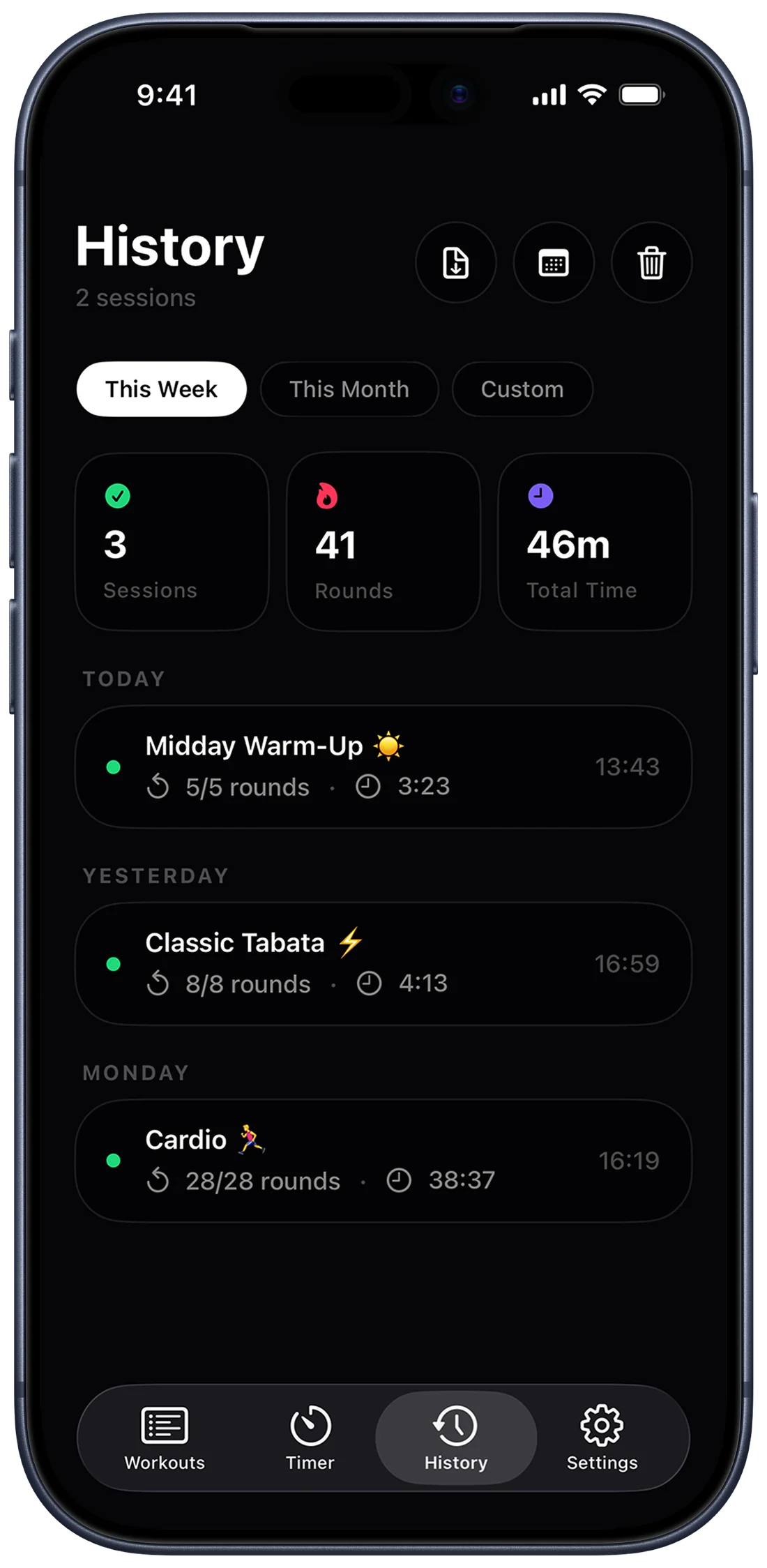
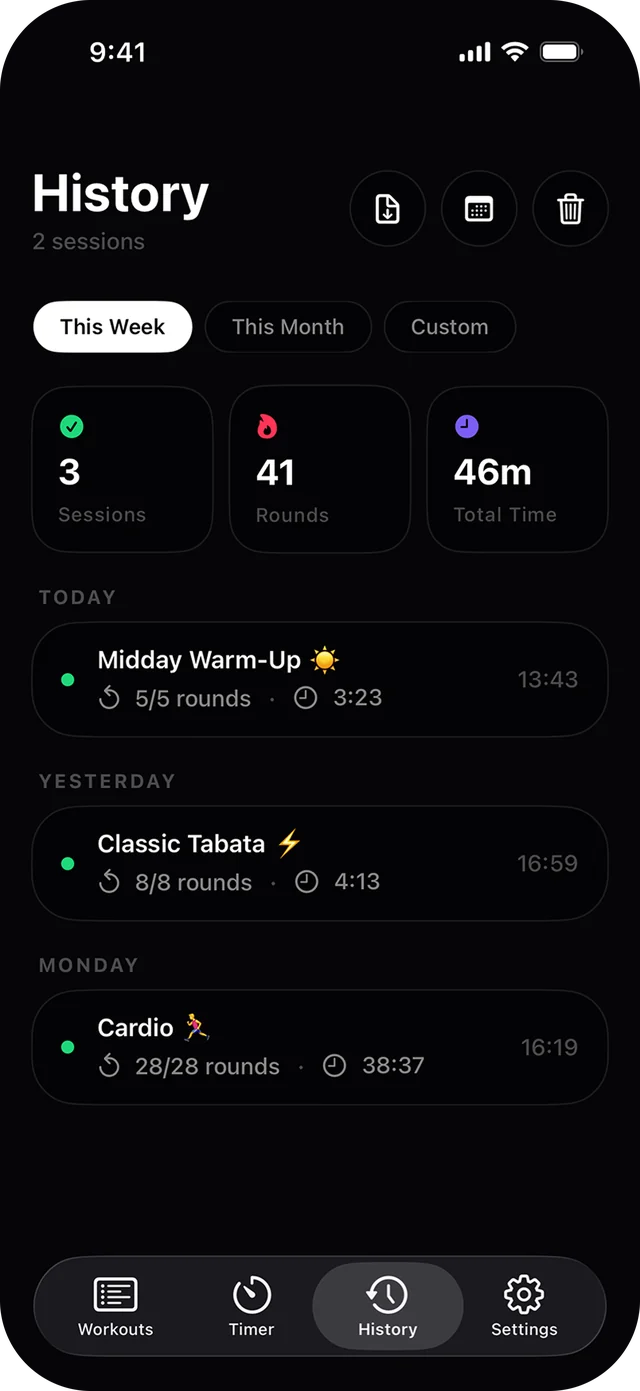
Taba History screen
HistorySessions, rounds, total time
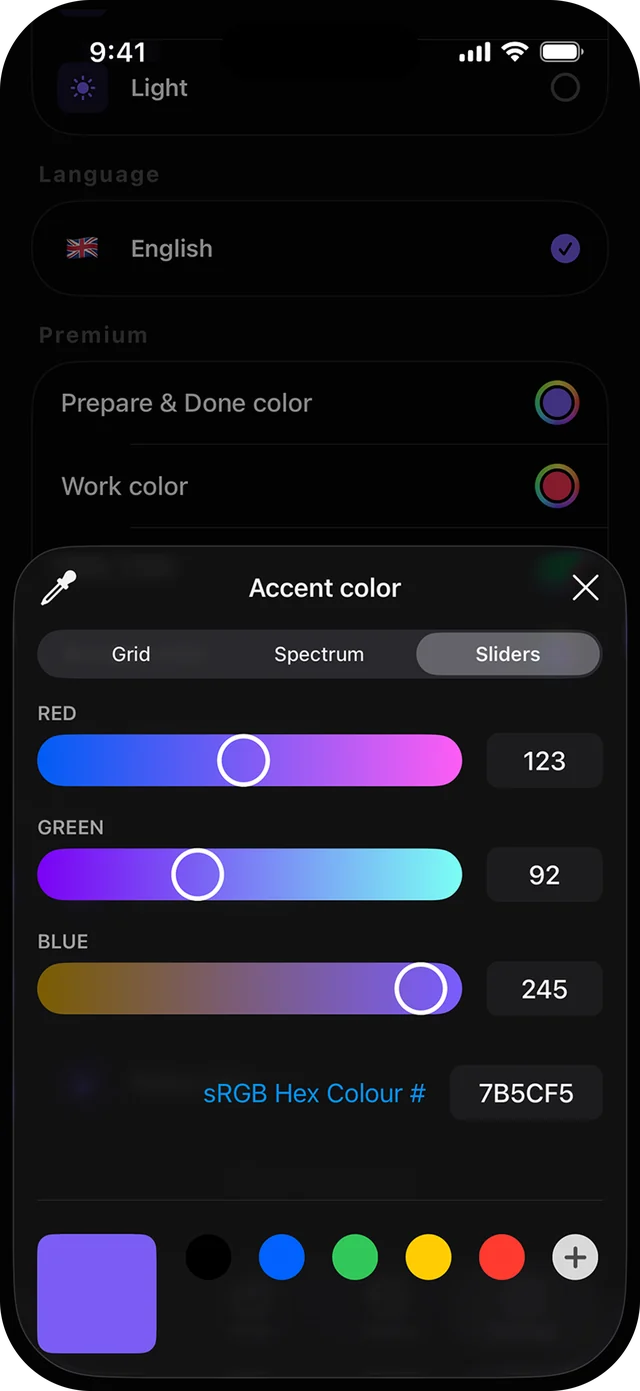
Taba Custom colors screen
Custom colorsA color for every phase
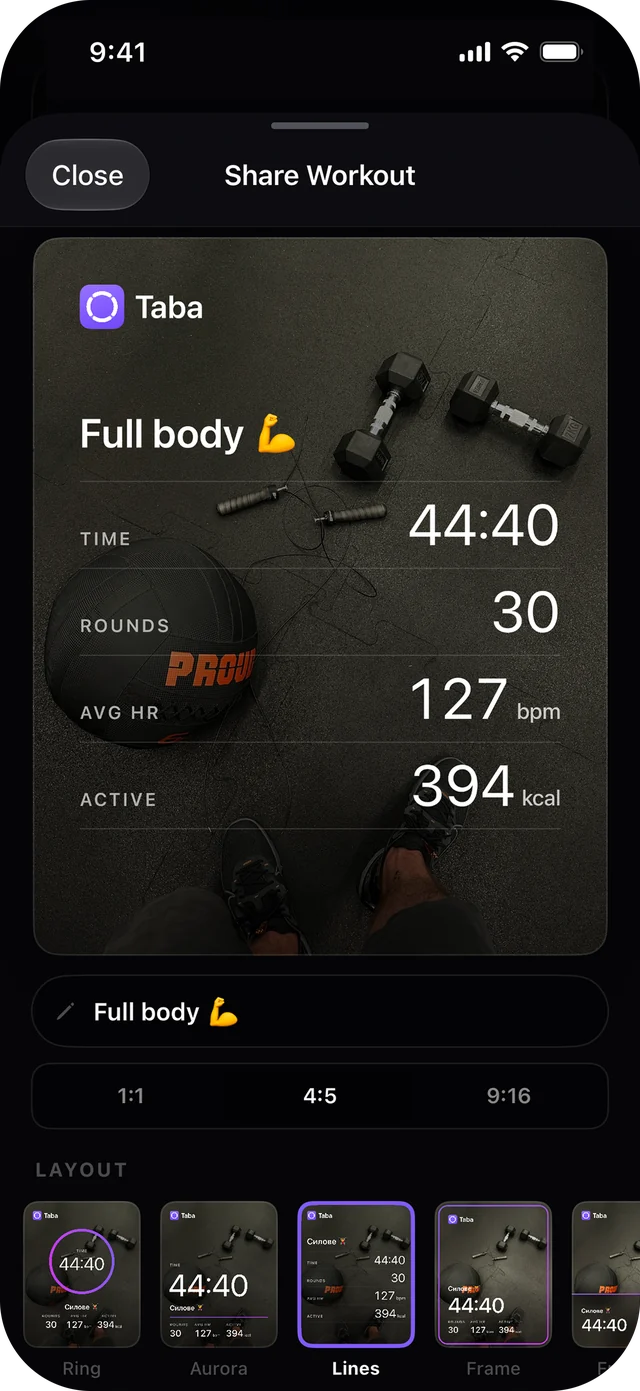
Taba Share cards screen
Share cardsYour photo, your stats

Five ways to train

One timer.
Every kind of workout.

Intervals, every-minute sets, as many rounds as possible, an open clock, or your own list of exercises. Set it once, save it, and start it with one tap next time.

HIIT

Work hard. Rest. Repeat.

Short bursts of all-out work, each followed by a short rest. Set the times, the rounds and how many sets you want. Classic Tabata is 20 seconds on, 10 off, eight times.

Get readyWork 20sRest 10sRest between sets2 sets × 8 rounds
EMOM

A new round every minute.

Every minute on the minute. Do your reps as soon as the minute starts, rest for whatever is left, and go again when the clock rolls over. The faster you are, the longer you rest.

ROUND1of 10
Your reps, as fast as you canRest until the minute is upNew round at every 1:00
Circuit · New

Your own list of exercises.

Line up moves by reps or by time. Taba says each exercise out loud and walks you through the list, with rest in between.

Squats× 15
Rest0:15
Lunges0:40
Rest0:15
Glute bridges× 20
Rest0:15
Wall sit0:45
Round 1 of 3Reps & timed moves in one list
AMRAP

As many rounds as possible.

The clock is fixed, the rounds are not. Keep cycling through your moves until time runs out. Taba calls the halfway point and the last minute.

01:44
6 rounds done
round 7 in progress
Free Time

A clock that keeps running.

No intervals, no plan. Start it for a run, a rope session or a stretch, and stop whenever you're done. Add a goal if you want a nudge when you reach it.

29:45
Goal 30:00

Live Gradients

Color you feel.
Color you choose.

Every phase has its own living gradient, so you can tell work from rest out of the corner of your eye. Keep the defaults, or give every phase a color of your own.

Prepare
Work
Rest
Custom colors come with Taba Premium.
Prepare

Focused. Ready.

A cool glow fills the screen while the countdown runs. Find your spot.

Work

Heat. Drive.

The gradient speeds up and warms the room. Push until the color changes.

Rest

Breathe. Reset.

A slow, soft hue fades in. Your cue to recover before the next round.

Voice coach

A coach
in your ear.

Taba calls out each round, the last round, rest breaks and the halfway point — for every workout type. Keep your eyes on your form, not on your phone.

Six voices to choose from. Tap one to hear a preview.

“Get ready… 8 rounds”Prepare
“Round 1”Work
“Rest”Rest
“Halfway”Round 5
“Last round”Work
“Workout complete”Done

Apple Watch

Leave your phone
on the bench.

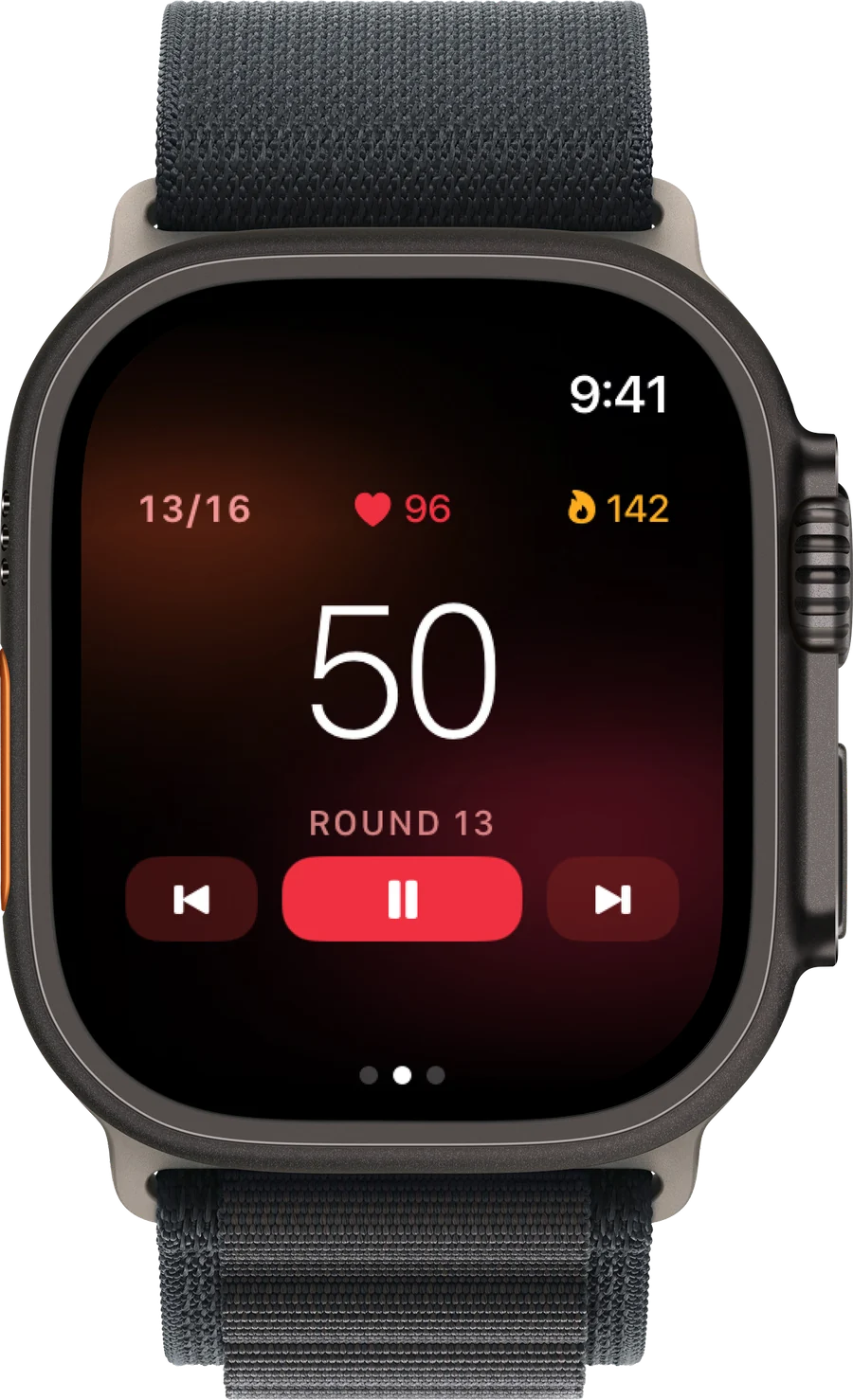
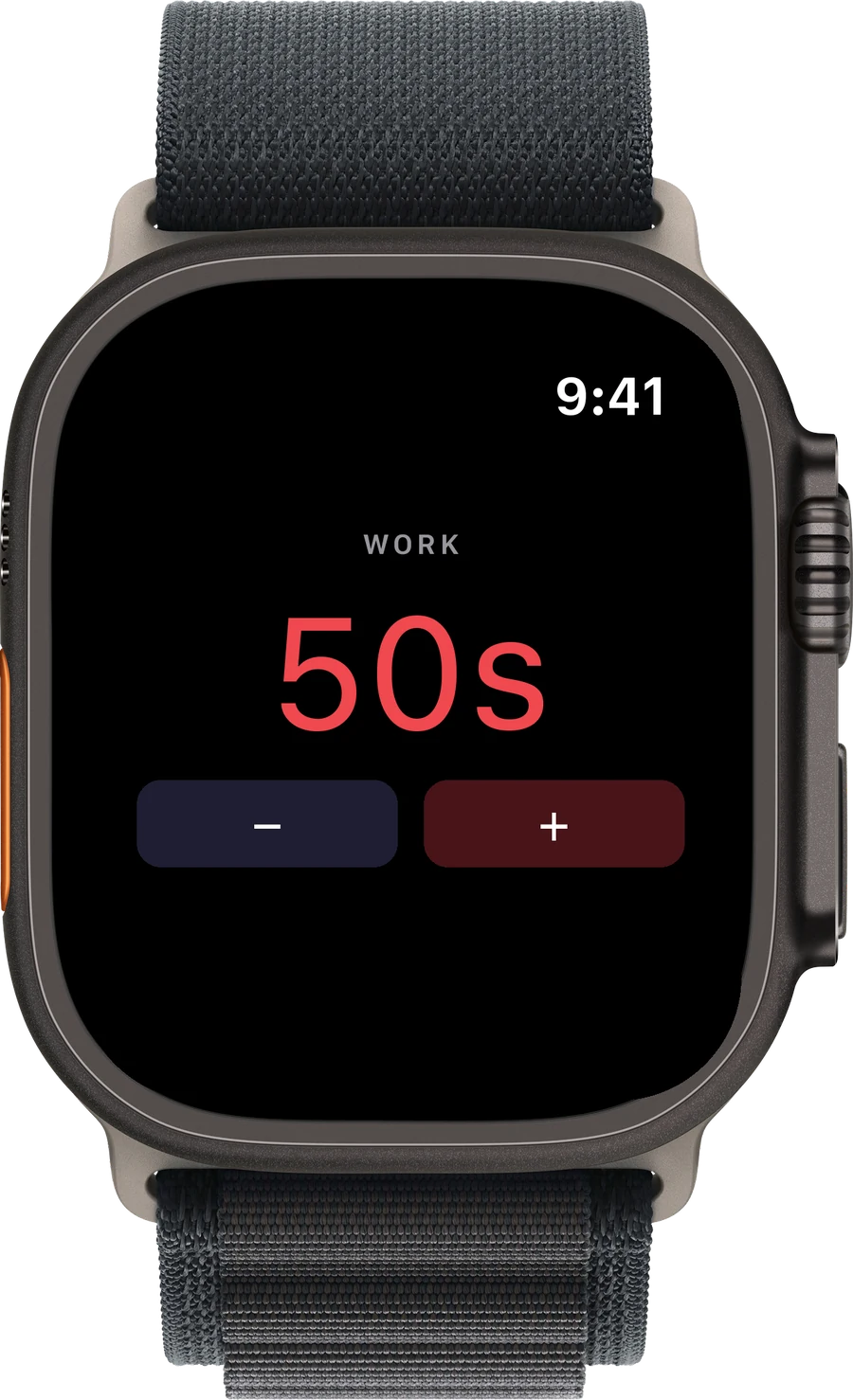
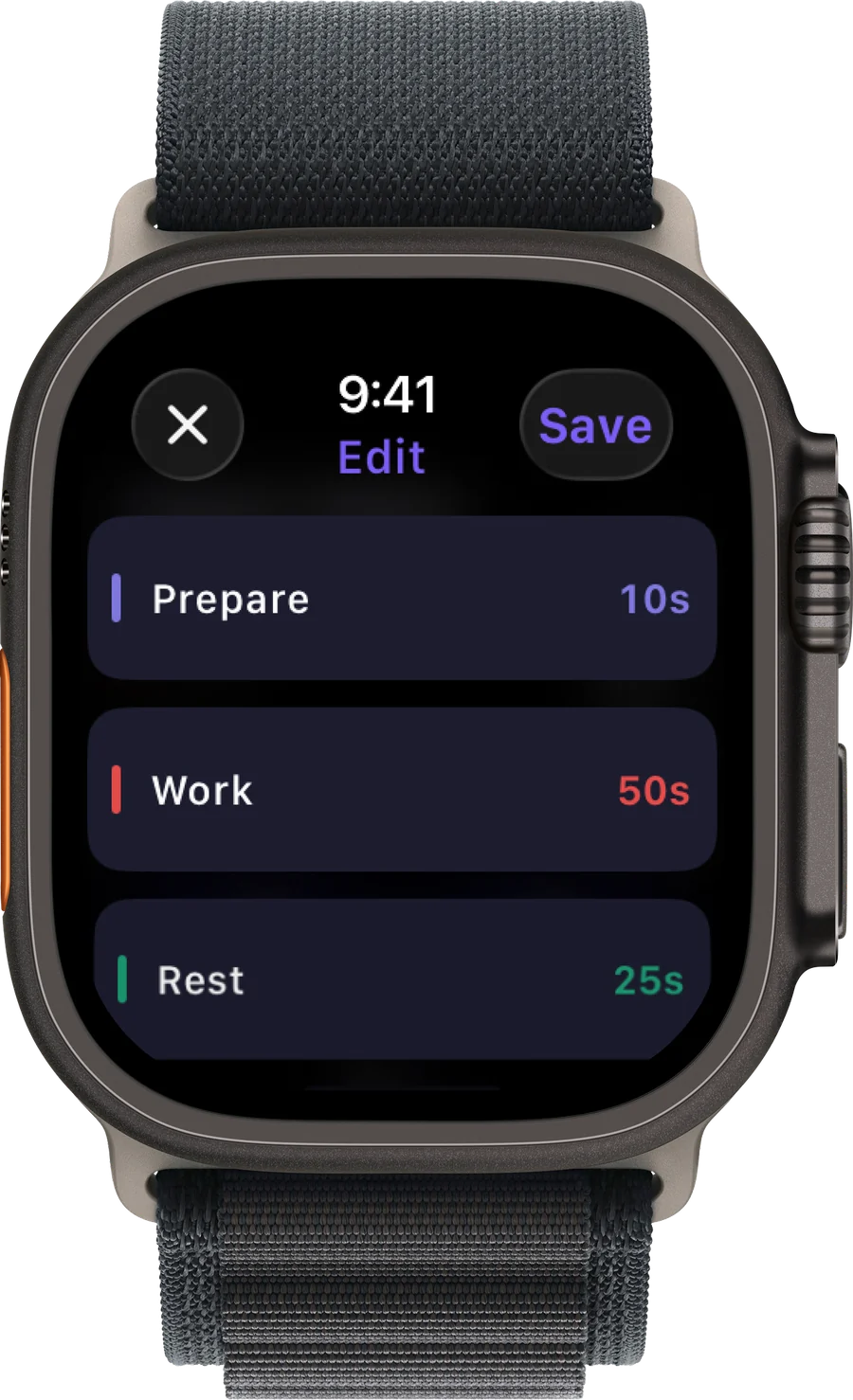
Start any workout from your wrist and see your heart rate and calories as you go. Strong haptics tap you at every phase change, and every session syncs back to your iPhone.

Taba on Apple Watch: editing work and rest times Taba on Apple Watch: round 13 with heart rate and calories Taba on Apple Watch: adjusting work time
♥ 0Live heart rate, beat by beat
0 kcalActive calories for every session
5Workout types on your wrist
↔Syncs both ways with iPhone

Progress

Every session counts.
Taba keeps track.

Your workouts are saved automatically. Look back at your week, beat your records, and see how consistent you've been.

History and stats

Sessions, rounds and total time for this week, this month or any range you choose.

0Sessions
0Rounds
0h 0mTotal time
Taba History screen with sessions, rounds and total time

Calendar

Every day you trained, at a glance.

Current streak 5 days

Activity

Minutes trained, day by day.

MTWTFSS

Personal records

Your best numbers, kept for you.

Longest workout 38:37
Most rounds in a session 28
Best streak 12 days

Export to PDF

Send your workout history to a coach, or keep it for yourself.

Share cards

Finished? Show it off.

Turn any session into a clean card with your time, rounds, heart rate and streak — on a gradient or your own photo.

And all the little things that make a timer feel right.

Saved workouts

Name them, add an emoji, start with one tap.

Sets and rounds

Repeat whole blocks, with rest between sets.

Jump to any step

Skip ahead or go back to any round mid-workout.

Sounds you can tune

Start, finish, 3-2-1 and ticking, each on or off. Plays over your music.

Smart reminders

Pick the days and the time. Skipped if you already trained.

Light and dark

Two themes, and colors you choose for each phase.

Workout notes

Write down weights, how it felt, what to change.

Apple Health

Heart rate and active calories, measured while you train.

Reviews

Five stars, every time.

5.0out of 5

Every rating on the App Store so far is five stars.

5 ★
4 ★
3 ★
2 ★
1 ★
Write a review
May 15

Lowkey the best workout timer out there

Okay so I don’t usually leave reviews but this app actually slaps. Been using it for a few weeks now and my cardio is no joke improving, like I can actually feel the difference. The tabata intervals are dialed in perfectly, no fluff, just you and the clock doing work. Clean UI, doesn’t get in your way when you’re mid-grind. Burned more fat in a month than I did messing around with other apps for half a year. If you’re on the fence, just download it, for real. Your future self will thank you.

KKhasanSalam· Ukraine
May 16

Great app for tabata

I am a big tabata fan and love the different modes of workout to keep things funsy. Also has a convenient reminder function!

YYugenBlon· United Kingdom
May 16

Loved the minimalistic design

Intuitive interface, easy to navigate, and nothing extra.

Ttorifonesi· United States
May 20

Useful app

Love the colors 💜

VVi11oria· Ukraine
May 15

Perfect app

Good for interval training

NNvvvvN· Ukraine

Pricing

Free to start.
Premium when you want more.

Every workout type, the voice coach and the Apple Watch app are free. Premium adds the extras for people who train a lot.

Free

$0

No account, no ads, no trial clock.

  • HIIT, EMOM, AMRAP and Free Time
  • 1 Circuit workout
  • Voice coach with 6 voices
  • Apple Watch app, heart rate, calories
  • Share cards
  • This week's history and stats
Premium

Monthly

$3.99 / month

Cancel anytime.

  • Everything in Free, plus
  • Unlimited Circuit workouts
  • Custom colors for every phase
  • Notes on any workout
  • Extended history and stats
  • Calendar view
  • Export history to PDF

Lifetime

$29.99 once

Pay once, keep Premium forever.

  • Everything in Premium
  • No subscription
  • All future Premium features
  • Restore on any of your devices

Prices in US dollars. The App Store shows the price for your country.

Questions, answered.

What's the difference between HIIT, EMOM and AMRAP?

HIIT alternates work and rest periods you set, like 20 seconds on and 10 off. EMOM starts a new round every minute; whatever time is left after your reps is your rest. AMRAP gives you a fixed amount of time to complete as many rounds as you can.

Do I need an Apple Watch?

No. Taba works fully on iPhone. With an Apple Watch you can also start workouts from your wrist and see live heart rate and calories.

Does Taba work with my music?

Yes. Sounds and voice cues play over your music and keep working when the screen is locked or you switch to another app.

Do I need to create an account?

No. There's no sign-up and no ads. Your workouts are stored on your device.

What do I get with Premium?

Unlimited Circuit workouts, custom colors for every phase, notes, extended history and stats, the calendar view and PDF export. Choose a monthly subscription or a one-time lifetime purchase.

Still have a question?

Write to us at hello@taba-timer.com. We read every message.

Taba app icon

Your next workout
starts with one tap.

Download on the App Store

Free · iPhone with iOS 17 or later · Apple Watch with watchOS 10 or later